Bryan Djoufack Nguessong / Profil
- Informations
|
5+ années
expérience
|
4
produits
|
32
versions de démo
|
|
12
offres d’emploi
|
0
signaux
|
0
les abonnés
|
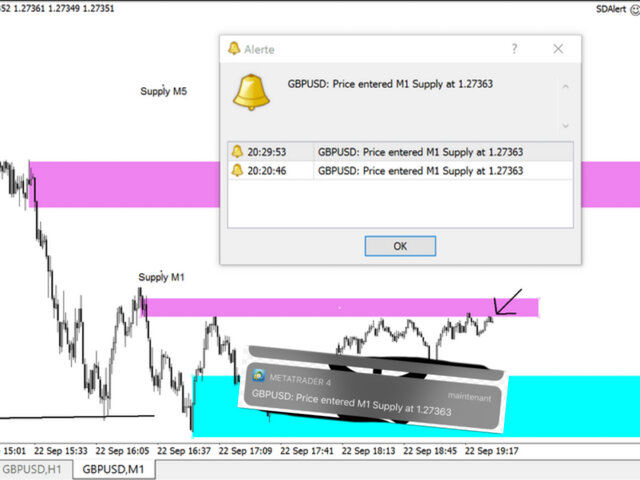
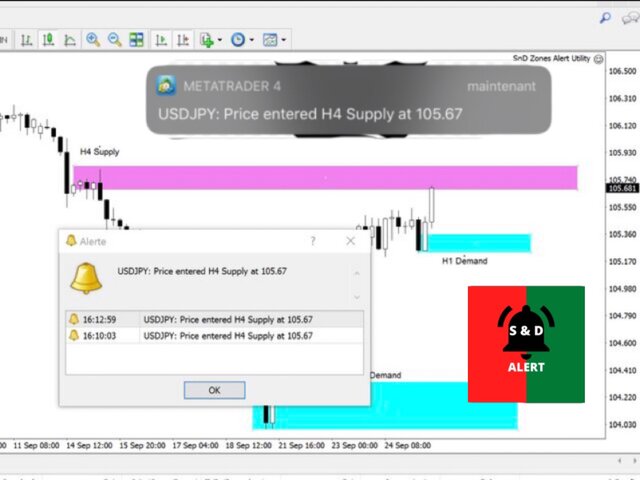
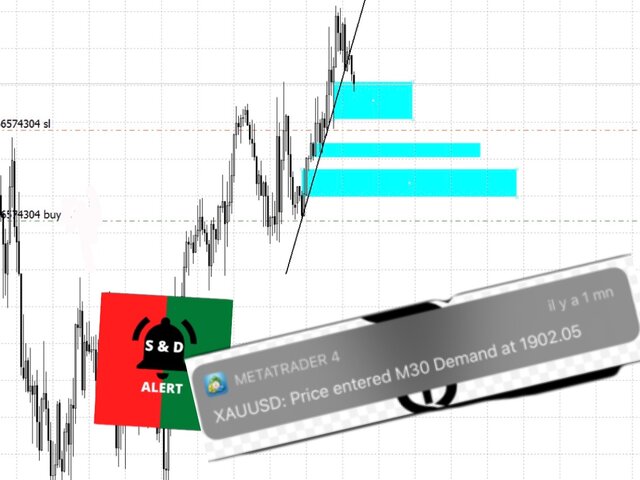
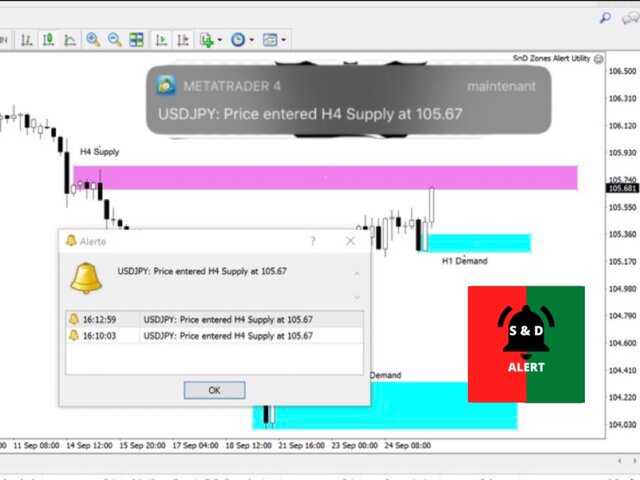
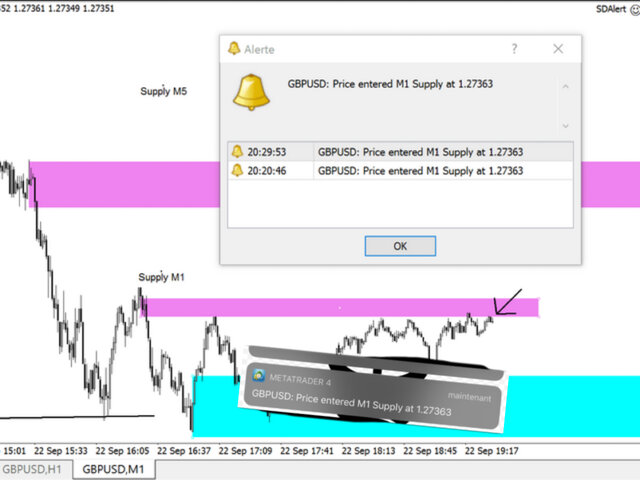
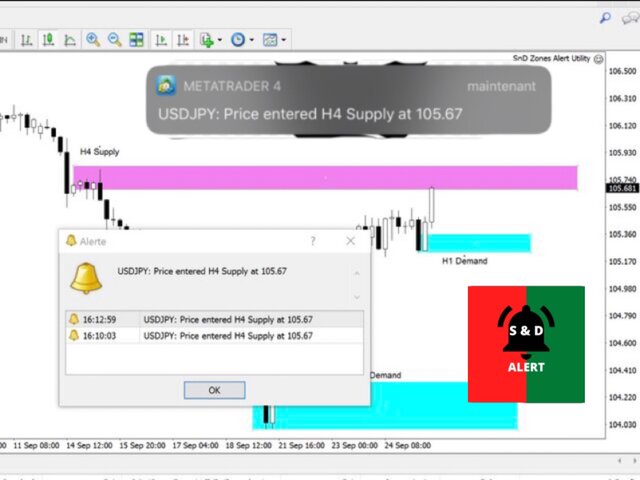
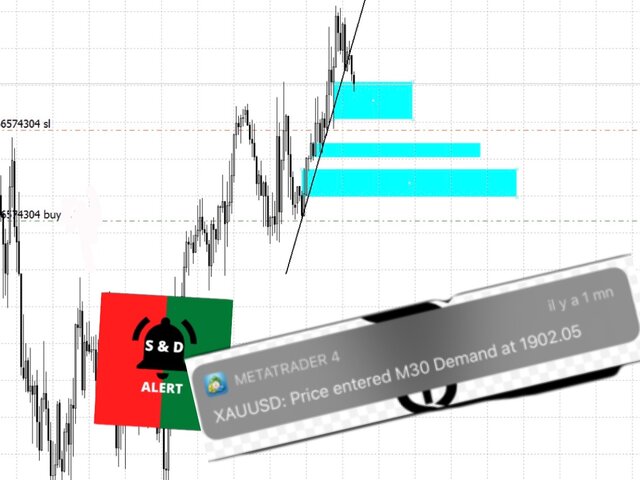
Here’s the The Zones Alert Tool. I will send you a detailed notification as soon as price reaches a Supply/Demand zone you draw and set. The notification contains the symbol, the price reached and the name of the zone with its respective timeframe.
As you launch the utility, you'll have to set some input parameters:
supplyColor - This will be the color in which your supply zones will be represented on the chart
demandColor - This will be the color in which your demand zones will be represented on the chart.
Now that you have set the input parameters, just 3 steps for the use of the Utility :
-You draw the zone (rectangle)
-You indicate if it is a Supply or Demand with the TF by changing the description (e.g. Supply MN1 for Monthly Supply or Demand M15 for 15 Minutes Demand)
-And you just chill, just RELAX and wait for the detailed notification(Symbol Name with the Supply it touched and it's timeframe, and the price) on your phone and on your MetaTrader 4 Terminal as soon as price reaches your level.
Don’t you think this will help you? Less times in front of charts, not missing opportunities. True trading efficiency. Get yours and enjoy a more relaxed trading.
https://www.mql5.com/en/market/product/55134?source=Site+Market+Product+Page
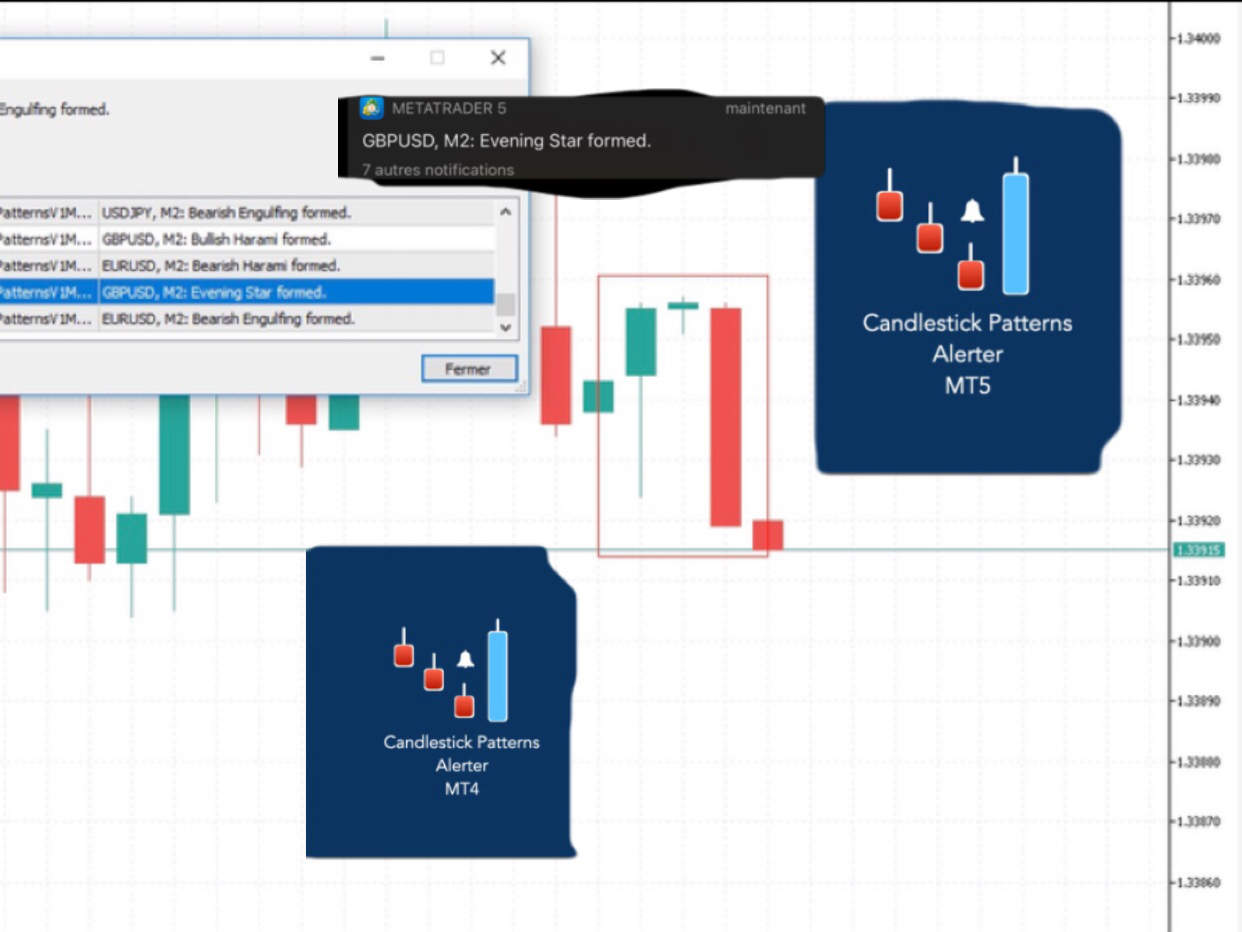
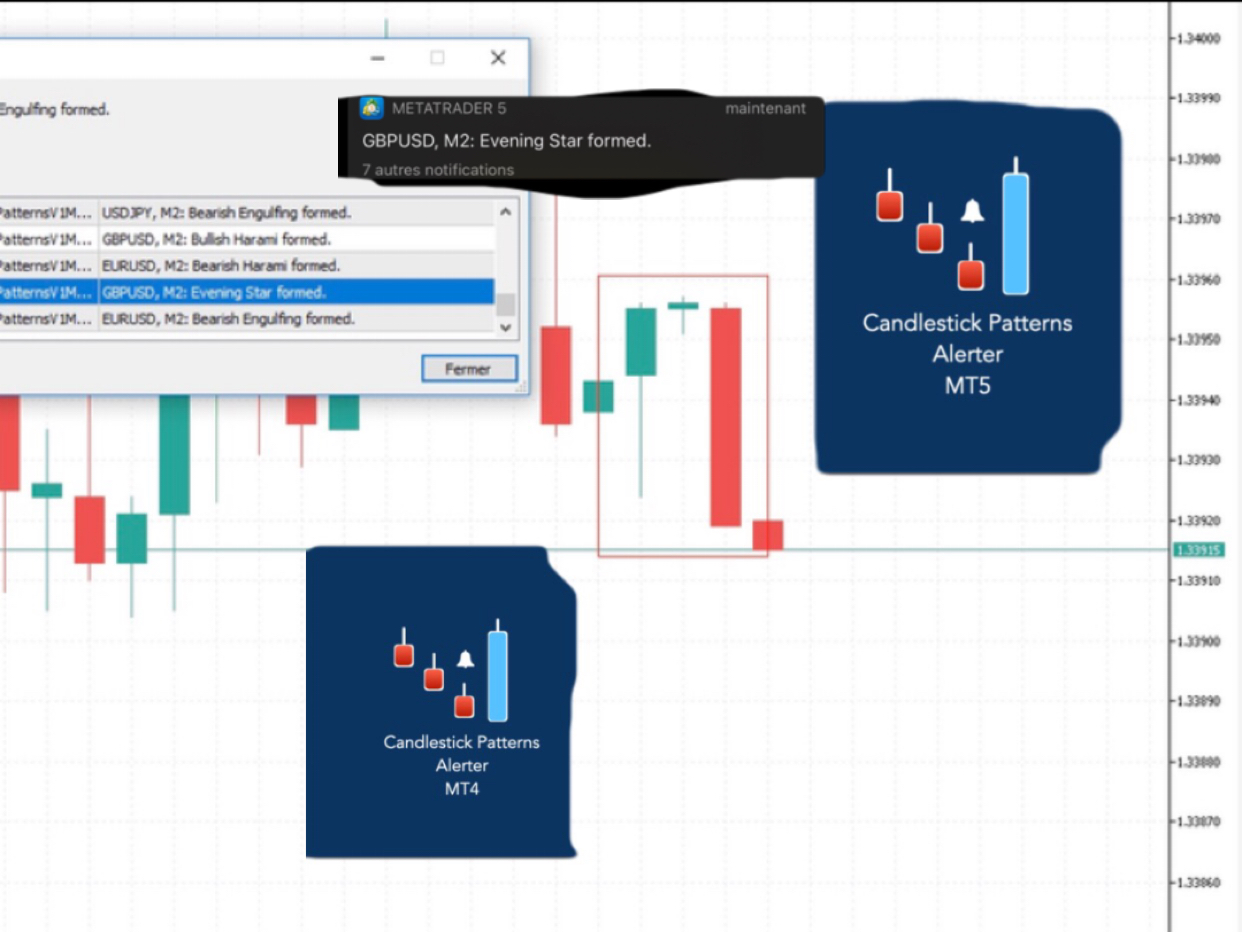
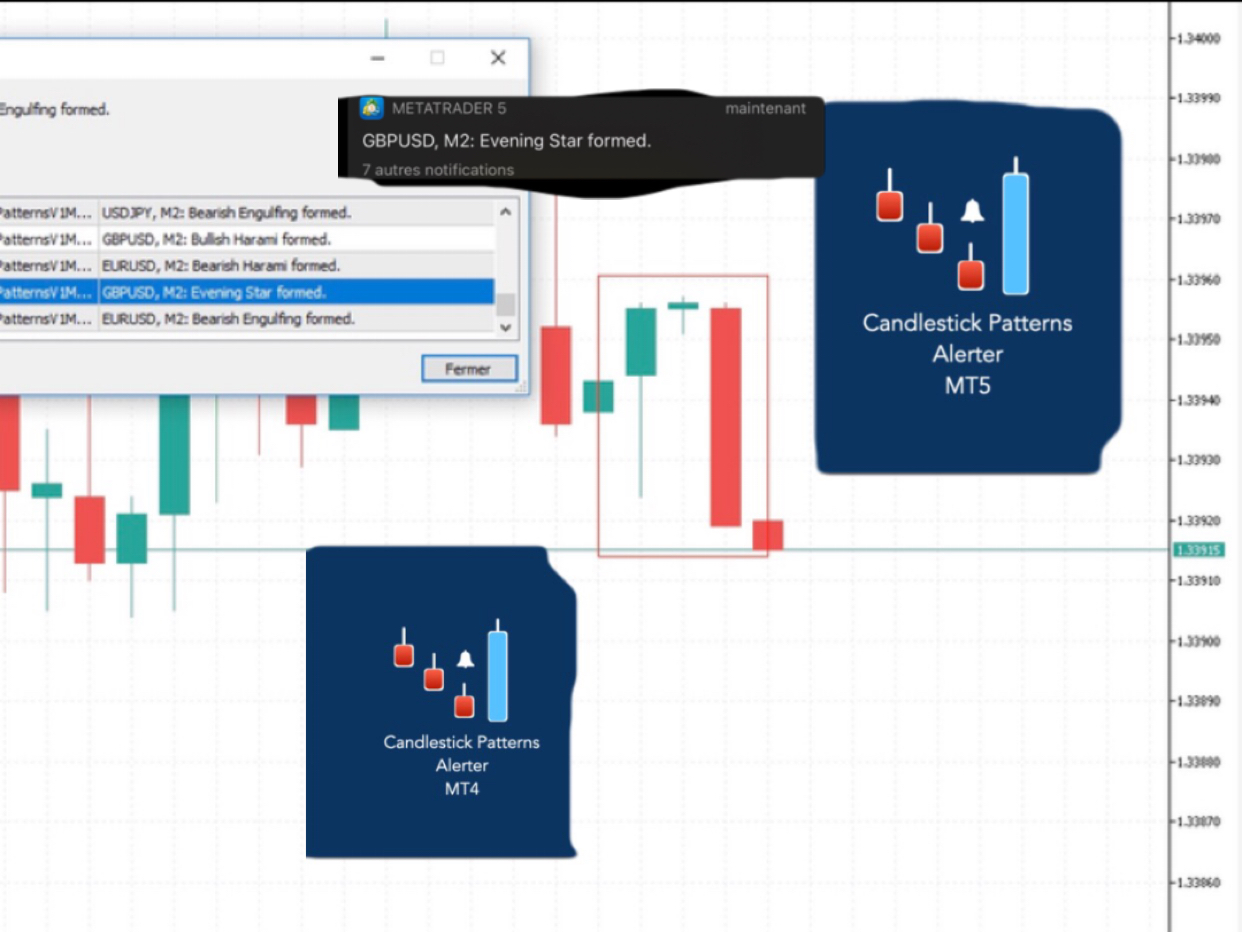
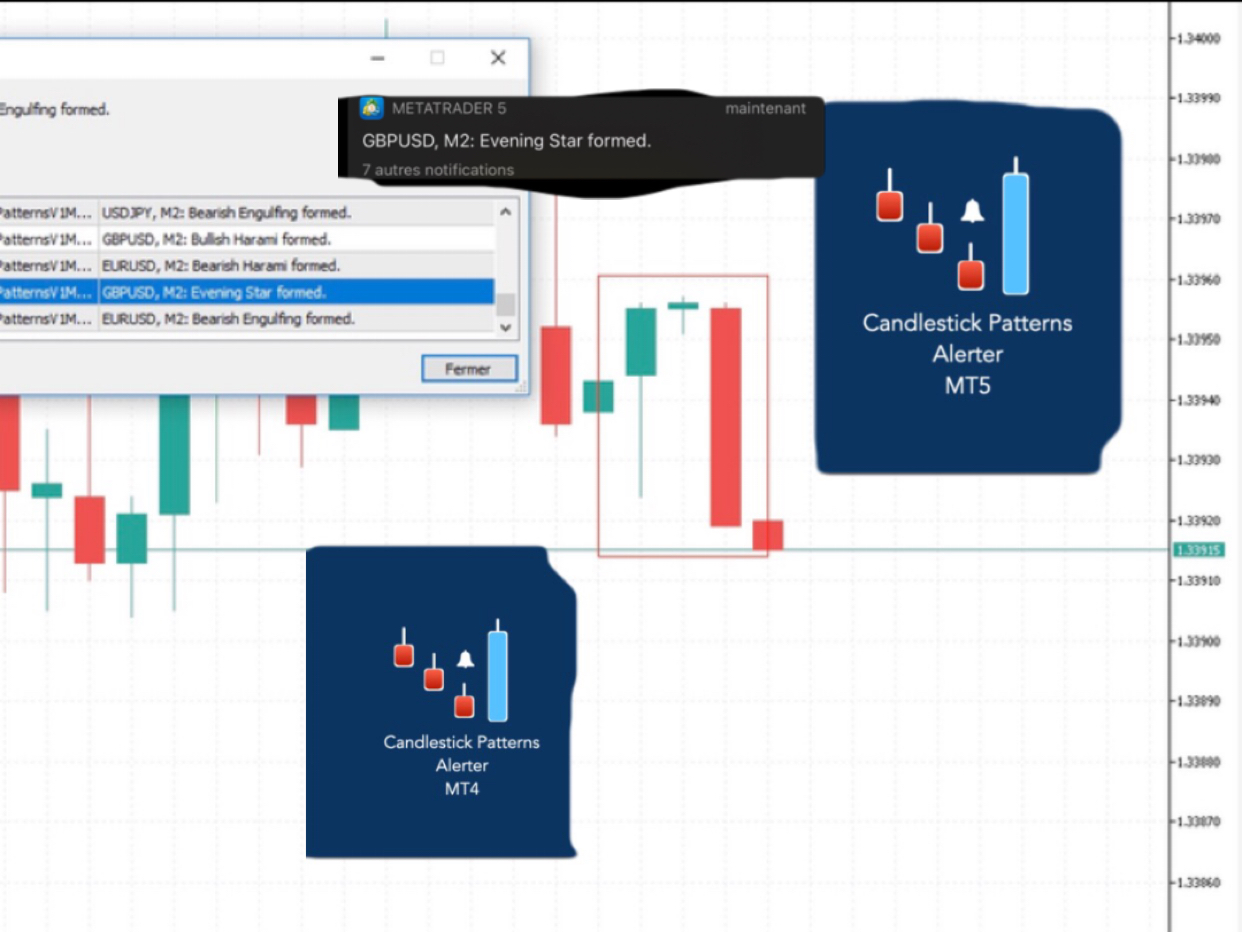
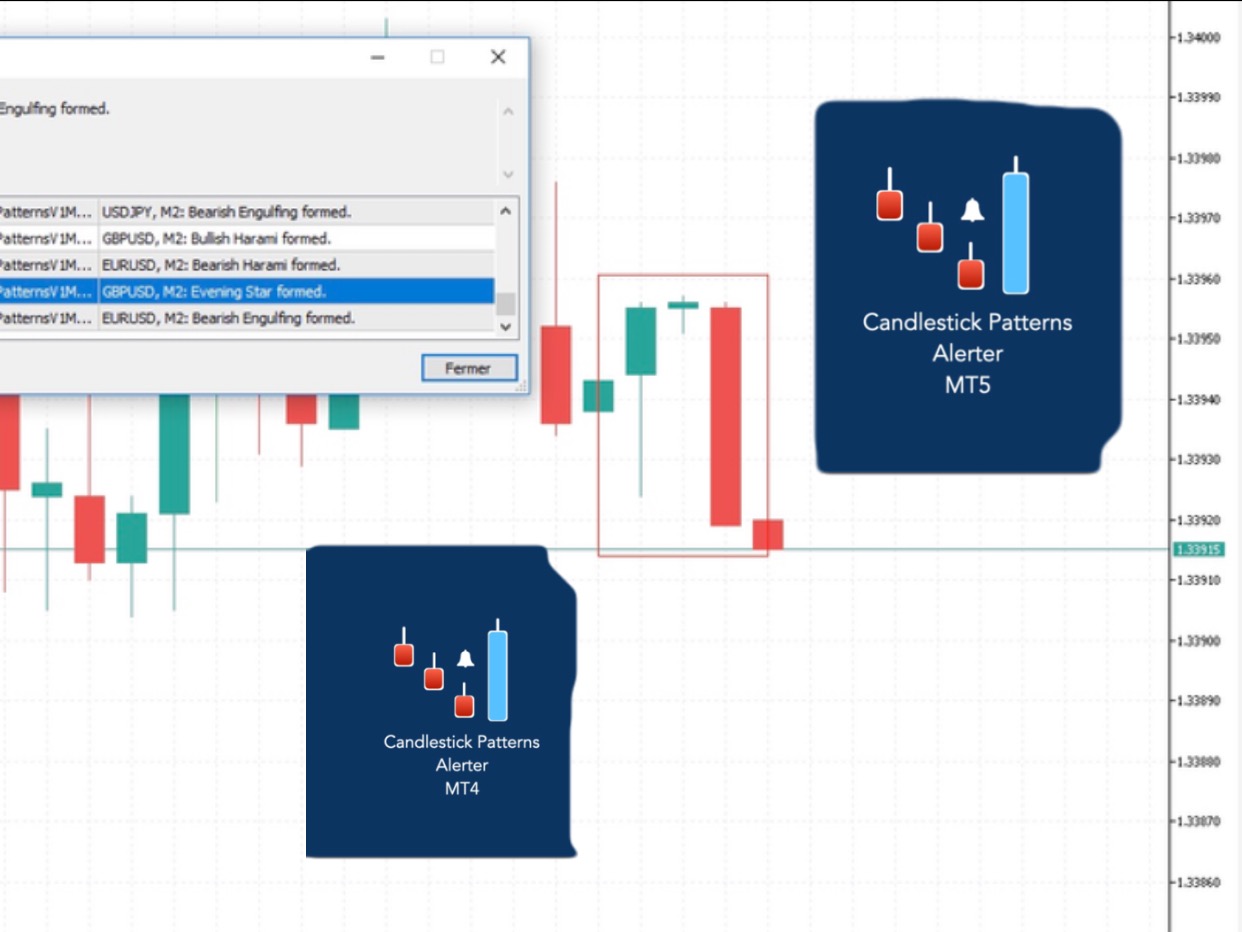
Here’s Candlestick Pattern Alerter. 26 Candlestick Patterns built-in. You just have to choose the ones you are interested in and the timeframe on which you want to see them and you get notified on your terminal or/and mobile as soon as they appear. Minimal chart time, but no missed opportunities. True trading efficiency. Don’t you think it will help you?
Here's the link to the product. Grab yours and enjoy.
MT4: https://www.mql5.com/en/market/product/74318?source=Site+Profile+Seller
MT5: https://www.mql5.com/en/market/product/74299?source=Site+Profile+Seller
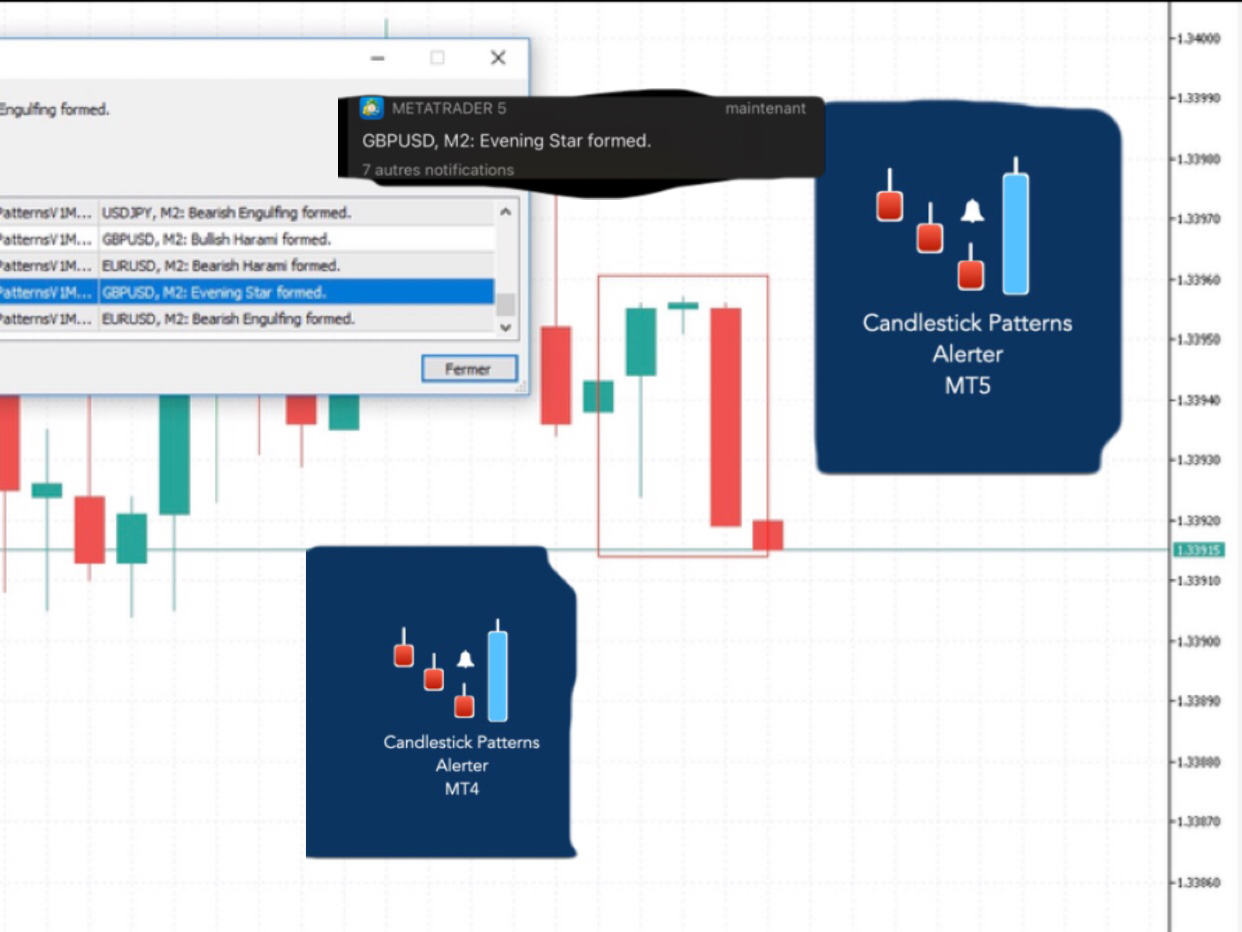
Here’s Candlestick Pattern Alerter. 26 Candlestick Patterns built-in. You just have to choose the ones you are interested in and the timeframe on which you want to see them and you get notified on your terminal or/and mobile as soon as they appear. Minimal chart time, but no missed opportunities. True trading efficiency. Don’t you think it will help you?
Here's the link to the product. Grab yours and enjoy.
MT4: https://www.mql5.com/en/market/product/74318?source=Site+Profile+Seller
MT5: https://www.mql5.com/en/market/product/74299?source=Site+Profile+Seller
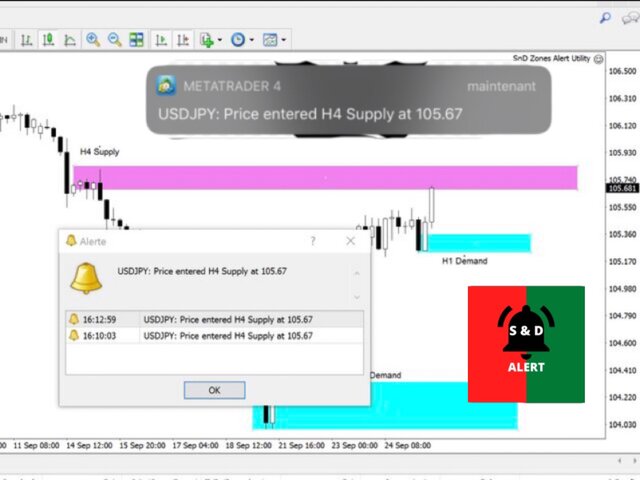
Here’s the The Zones Alert Tool. I will send you a detailed notification as soon as price reaches a Supply/Demand zone you draw and set. The notification contains the symbol, the price reached and the name of the zone with its respective timeframe.
As you launch the utility, you'll have to set some input parameters:
supplyColor - This will be the color in which your supply zones will be represented on the chart
demandColor - This will be the color in which your demand zones will be represented on the chart.
Now that you have set the input parameters, just 3 steps for the use of the Utility :
-You draw the zone (rectangle)
-You indicate if it is a Supply or Demand with the TF by changing the description (e.g. Supply MN1 for Monthly Supply or Demand M15 for 15 Minutes Demand)
-And you just chill, just RELAX and wait for the detailed notification(Symbol Name with the Supply it touched and it's timeframe, and the price) on your phone and on your MetaTrader 4 Terminal as soon as price reaches your level.
Don’t you think this will help you? Less times in front of charts, not missing opportunities. True trading efficiency. Get yours and enjoy a more relaxed trading.
https://www.mql5.com/en/market/product/55134?source=Site+Market+Product+Page
Here's the link to the product. Grab yours and enjoy.
MT4: https://www.mql5.com/en/market/product/74318?source=Site+Profile+Seller
MT5: https://www.mql5.com/en/market/product/74299?source=Site+Profile+Seller
Here's the link to the product. Grab yours and enjoy.
MT4: https://www.mql5.com/en/market/product/74318?source=Site+Profile+Seller
MT5: https://www.mql5.com/en/market/product/74299?source=Site+Profile+Seller
Here's the link to the product. Grab yours and enjoy.
MT4: https://www.mql5.com/en/market/product/74318?source=Site+Profile+Seller
MT5: https://www.mql5.com/en/market/product/74299?source=Site+Profile+Seller
Here's the link to the product. Grab yours and enjoy.
MT4: https://www.mql5.com/en/market/product/74318?source=Site+Profile+Seller
MT5: https://www.mql5.com/en/market/product/74299?source=Site+Profile+Seller
Cet utilitaire vous enverra une notification détaillée sur votre mobile et une alerte sur le terminal MT5 dès qu'une figure en chandelier que vous souhaitez voir apparaître sur le graphique. La notification contient le symbole, la figure en chandelier et la période sur laquelle la figure s'est formée. Vous devez relier Metatrader 5 Mobile à votre terminal Windows. Voici comment. https://www.metatrader5.com/fr/mobile-trading/iphone/help/settings/settings_messages#notification_setup Liste des
Cet utilitaire vous enverra une notification détaillée sur votre mobile et une alerte sur le terminal MT4 dès qu'une figure en chandelier que vous souhaitez voir apparaître sur le graphique. La notification contient le symbole, la figure en chandelier et la période sur laquelle la figure s'est formée. Vous devez relier Metatrader 4 Mobile à votre terminal Windows. Voici comment. https://www.metatrader4.com/fr/trading-platform/help/setup/settings_notifications Liste des modèles de chandeliers
As you launch the utility, you'll have to set some input parameters:
supplyColor - This will be the color in which your supply zones will be represented on the chart
demandColor - This will be the color in which your demand zones will be represented on the chart.
Now that you have set the input parameters, just 3 steps for the use of the Utility :
-You draw the zone (rectangle)
-You indicate if it is a Supply or Demand with the TF by changing the description (e.g. Supply MN1 for Monthly Supply or Demand M15 for 15 Minutes Demand)
-And you just chill, just RELAX and wait for the detailed notification(Symbol Name with the Supply it touched and it's timeframe, and the price) on your phone and on your MetaTrader 4 Terminal as soon as price reaches your level.
Yeah, no more having to stay in front of the chart. Get yours and enjoy a more relaxed trading.
https://www.mql5.com/en/market/product/55134?source=Site+Market+Product+Page
As you launch the utility, you'll have to set some input parameters:
supplyColor - This will be the color in which your supply zones will be represented on the chart
demandColor - This will be the color in which your demand zones will be represented on the chart.
Now that you have set the input parameters, just 3 steps for the use of the Utility :
-You draw the zone (rectangle)
-You indicate if it is a Supply or Demand with the TF by changing the description (e.g. Supply MN1 for Monthly Supply or Demand M15 for 15 Minutes Demand)
-And you just chill, just RELAX and wait for the detailed notification(Symbol Name with the Supply it touched and it's timeframe, and the price) on your phone and on your MetaTrader 4 Terminal as soon as price reaches your level.
Yeah, no more having to stay in front of the chart. Get yours and enjoy a more relaxed trading.
https://www.mql5.com/en/market/product/55134?source=Site+Market+Product+Page
As you launch the utility, you'll have to set some input parameters:
supplyColor - This will be the color in which your supply zones will be represented on the chart
demandColor - This will be the color in which your demand zones will be represented on the chart.
Now that you have set the input parameters, just 3 steps for the use of the Utility :
-You draw the zone (rectangle)
-You indicate if it is a Supply or Demand with the TF by changing the description (e.g. Supply MN1 for Monthly Supply or Demand M15 for 15 Minutes Demand)
-And you just chill, just RELAX and wait for the detailed notification(Symbol Name with the Supply it touched and it's timeframe, and the price) on your phone and on your MetaTrader 4 Terminal as soon as price reaches your level.
Yeah, no more having to stay in front of the chart. Get yours and enjoy a more relaxed trading. https://www.mql5.com/en/market/product/55134?source=Site+Market+Product+Page
As you launch the utility, you'll have to set some input parameters:
supplyColor - This will be the color in which your supply zones will be represented on the chart
demandColor - This will be the color in which your demand zones will be represented on the chart.
Now that you have set the input parameters, just 3 steps for the use of the Utility :
-You draw the zone (rectangle)
-You indicate if it is a Supply or Demand with the TF by changing the description (e.g. Supply MN1 for Monthly Supply or Demand M15 for 15 Minutes Demand)
-And you just chill, just RELAX and wait for the detailed notification(Symbol Name with the Supply it touched and it's timeframe, and the price) on your phone and on your MetaTrader 4 Terminal as soon as price reaches your level.
Yeah, no more having to stay in front of the chart. Get yours and enjoy a more relaxed trading.
As you launch the utility, you'll have to set some input parameters:
supplyColor - This will be the color in which your supply zones will be represented on the chart
demandColor - This will be the color in which your demand zones will be represented on the chart.
Now that you have set the input parameters, just 3 steps for the use of the Utility :
-You draw the zone (rectangle)
-You indicate if it is a Supply or Demand with the TF by changing the description (e.g. Supply MN1 for Monthly Supply or Demand M15 for 15 Minutes Demand)
-And you just chill, just RELAX and wait for the detailed notification(Symbol Name with the Supply it touched and it's timeframe, and the price) on your phone and on your MetaTrader 4 Terminal as soon as price reaches your level.
Yeah, no more having to stay in front of the chart. Get yours and enjoy a more relaxed trading.
Link: https://www.mql5.com/en/market/product/55134#!tab=overview
As you launch the utility, you'll have to set some input parameters:
supplyColor - This will be the color in which your supply zones will be represented on the chart
demandColor - This will be the color in which your demand zones will be represented on the chart.
Now that you have set the input parameters, just 3 steps for the use of the Utility :
-You draw the zone (rectangle)
-You indicate if it is a Supply or Demand with the TF by changing the description (e.g. Supply MN1 for Monthly Supply or Demand M15 for 15 Minutes Demand)
-And you just chill, just RELAX and wait for the detailed notification(Symbol Name with the Supply it touched and it's timeframe, and the price) on your phone and on your MetaTrader 4 Terminal as soon as price reaches your level.
Yeah, no more having to stay in front of the chart. Get yours and enjoy a more relaxed trading.
Link: https://www.mql5.com/en/market/product/55134#!tab=overview
As you launch the utility, you'll have to set some input parameters:
supplyColor - This will be the color in which your supply zones will be represented on the chart
demandColor - This will be the color in which your demand zones will be represented on the chart.
Now that you have set the input parameters, just 3 steps for the use of the Utility :
-You draw the zone (rectangle)
-You indicate if it is a Supply or Demand with the TF by changing the description (e.g. Supply MN1 for Monthly Supply or Demand M15 for 15 Minutes Demand)
-And you just chill, just RELAX and wait for the detailed notification(Symbol Name with the Supply it touched and it's timeframe, and the price) on your phone and on your MetaTrader 4 Terminal as soon as price reaches your level.
Yeah, no more having to stay in front of the chart. Get yours and enjoy a more relaxed trading.
Link: https://www.mql5.com/en/market/product/55134#!tab=overview
As you launch the utility, you'll have to set some input parameters:
supplyColor - This will be the color in which your supply zones will be represented on the chart
demandColor - This will be the color in which your demand zones will be represented on the chart.
Now that you have set the input parameters, just 3 steps for the use of the Utility :
-You draw the zone (rectangle)
-You indicate if it is a Supply or Demand with the TF by changing the description (e.g. Supply MN1 for Monthly Supply or Demand M15 for 15 Minutes Demand)
-And you just chill, just RELAX and wait for the detailed notification(Symbol Name with the Supply it touched and it's timeframe, and the price) on your phone and on your MetaTrader 4 Terminal as soon as price reaches your level.
Yeah, no more having to stay in front of the chart. Get yours and enjoy a more relaxed trading.
Link: https://www.mql5.com/en/market/product/55134#!tab=overview