
Get 200 usd for your algorithmic trading article!
 29 934
 25
25

Write an article and contribute to the development of algorithmic trading. Share your experience in trading and programming, and we will pay you $200. Additionally, publishing an article on the popular MQL5.com website offers an excellent opportunity to promote your personal brand in a professional community. Thousands of traders will read your work. You can discuss your ideas with like-minded people, gain new experience, and monetize your knowledge.
What topics are in demand?
We publish articles on algorithmic trading and everything related to it:
- Development of trading strategies
- Creation of indicators
- Strategy testing and optimization
- Designing graphical interfaces and trading panels
- Working with databases
- Integration with external services
- Machine learning
One of the main requirements is the practical applicability of the idea described in the article and its implementation in MQL5. A great way to understand which articles are in demand is to check earlier publications. Additionally, you can discuss potential topics on the forum: Become an Author at MQL5.com. If you have any questions, feel free to ask there.
Important requirements
1. Approve an outline. Before writing an entire article, we recommend beginning by creating an outline of your article and briefly summarizing the key points and content. Then send it to the moderator for approval. Once approved, proceed with a detailed description of your idea.
2. Review the structure. Ensure your article has these three important components:
- Clearly identify the trading problem or challenge that is solved in your article (point A, beginning)
- The solution, that the trader will find in the article (point B, conclusion)
- Detail the steps and explanations that guide the reader from Point A to Point B. This forms the core content of your article.
3. Develop the content. The minimum length of the article should be 5 pages, with 1800 characters per page. Check the Statistics section to monitor your current progress. We maintain a strict policy against plagiarism and AI-generated text. Only unique, original content will be accepted.
4. Check the text quality. Before submitting your article, make sure to run an automatic spell check. You can use tools like Microsoft Word or ChatGPT, among others.
Convenient publishing system
With over 1,500 articles published on MQL5.com, our experience in working with authors has allowed us to create a user-friendly publishing system. The whole process is divided into steps with clear and detailed descriptions of what is required from you. At each step, you will receive helpful tips and recommendations.
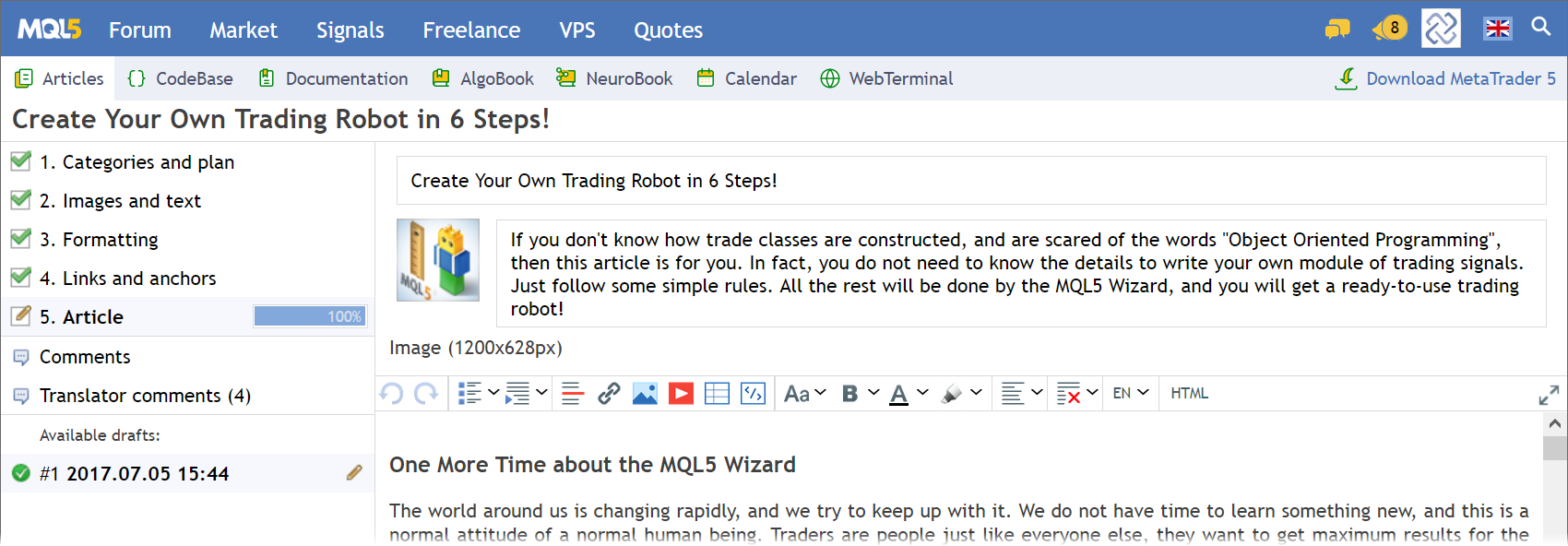
1. Categories and Plan
To get started, go to the Articles section and press "Add a new article". In the first step, you need to choose a working title for your article, select the category to which it belongs, and outline the approximate structure of subsections.
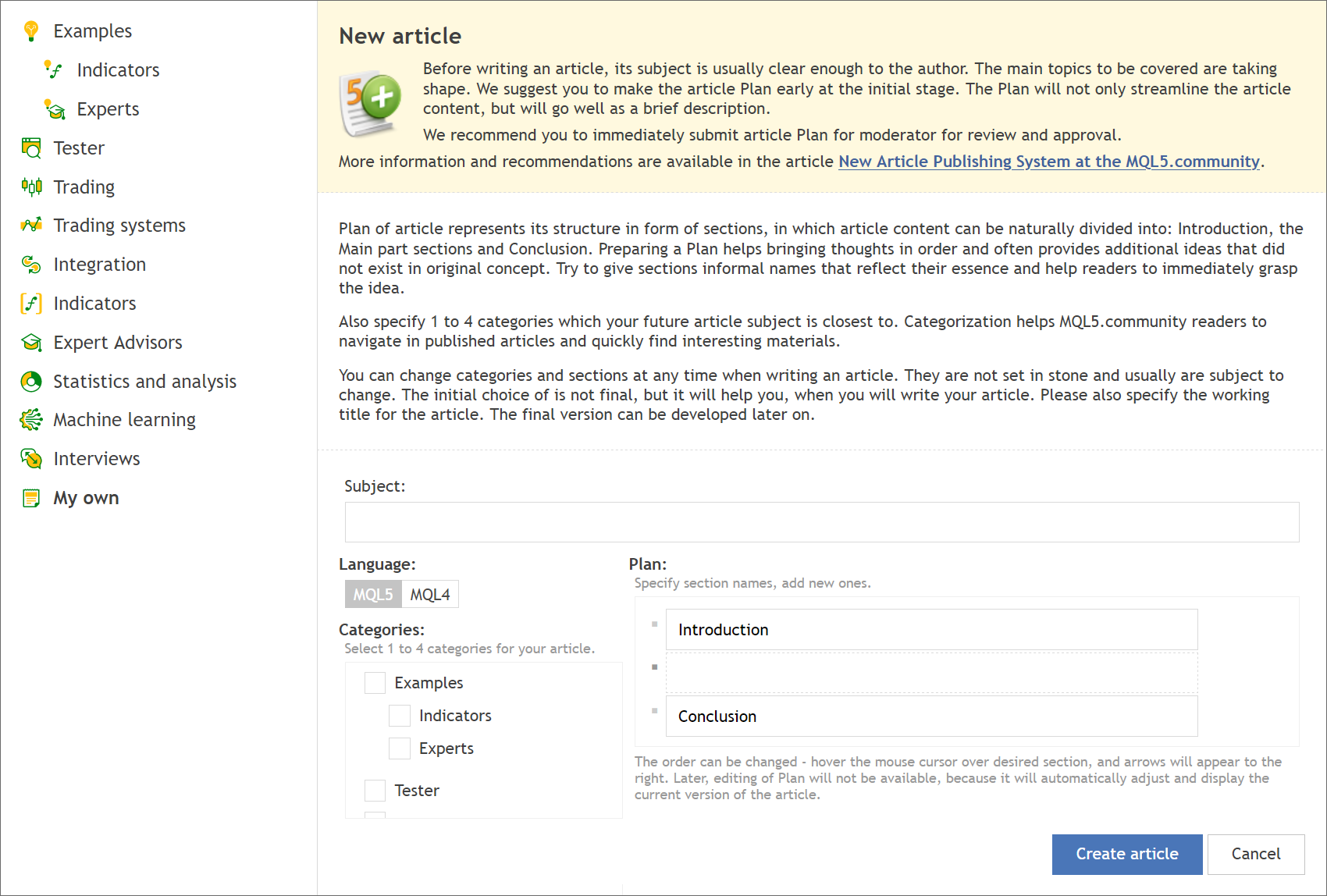
An outline serves as the backbone of your future article, making it easier for you to organize your thoughts. By default, a new article template already includes an Introduction and a Conclusion. You can name the sections of your article as you see appropriate.
Start by typing the name of your first section (between the Introduction and Conclusion), and press Enter. Subsequent sections should be added in the same way. To rearrange the order of sections, use the arrows located to the right of the section titles.
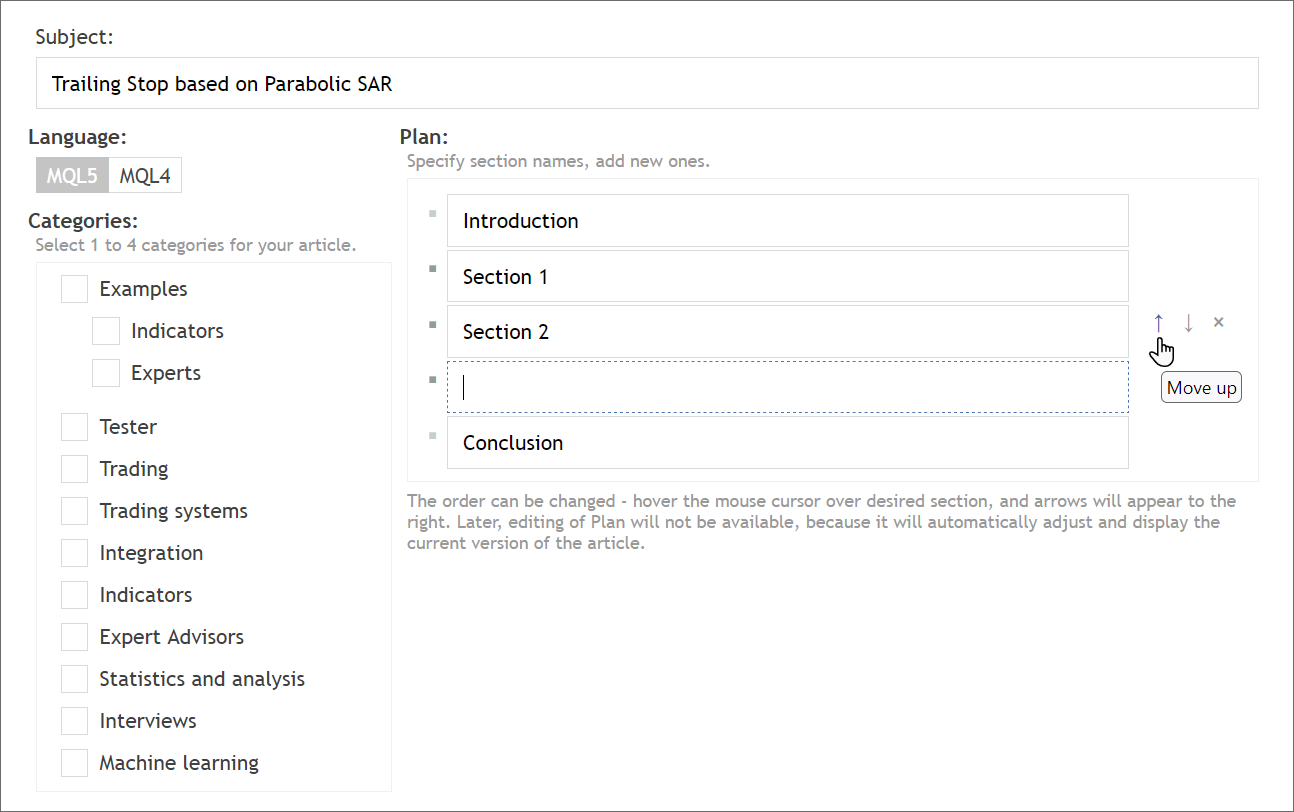
The sections you create at this step will be formatted as headers. You can create anchor links for them. After finalizing your outline and adding a working title for the article, click "Create article" to proceed to the next step.
2. Images and Text
The visual part of the article is often the first thing readers notice. High-quality illustrations significantly enhance perception and increase the attractiveness of the material. When adding images, please follow these guidelines:
-
Ensure all images are of excellent quality, which is best achieved with the PNG format. GIF format with an appropriate quality is also acceptable. Avoid using JPG for screenshots.
-
Images should not exceed 750 pixels in width. Larger images will automatically resize upon saving, leading to a noticeable loss in quality.
-
Take screenshots in the required size. Avoid resizing larger images in graphic editors as quality often deteriorates.
-
Ensure all images are clear and relevant. Exclude any unnecessary and irrelevant elements; readers should immediately understand the image purpose. Avoid cluttered graphics or complex flowcharts.
To insert images into the text, use the Image button on the editor toolbar.
Another common mistake among novice writers is inserting raw code into the article without proper formatting. Also, when copying text from external sources, the clipboard may contain excess formatting tags.
You will learn more about formatting specifics in the second step of article creation. Additional information about how to work with the text is provided in the article MQL5.community - User Memo.
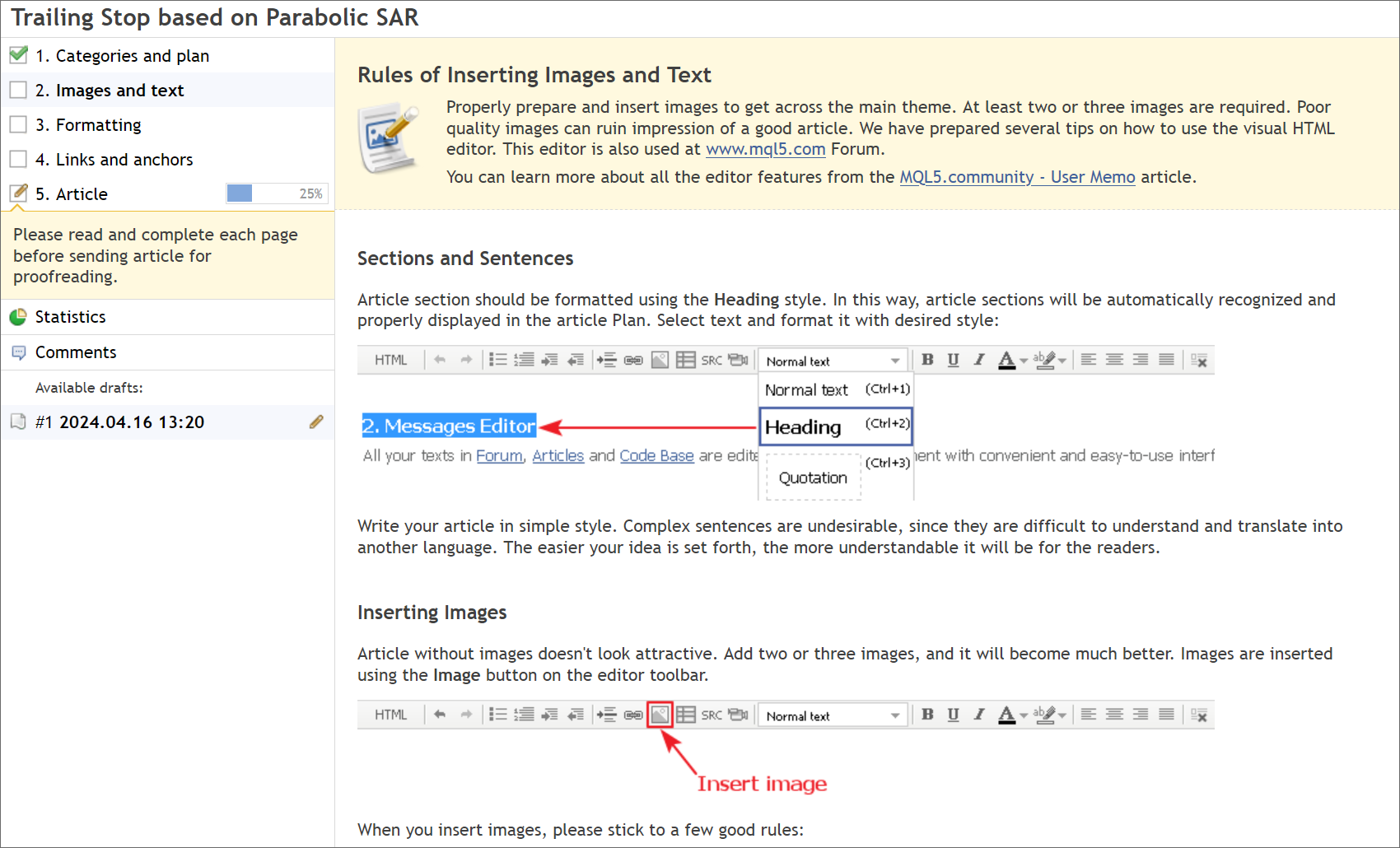
After reading these instructions, check the box "I have read the rules of using images and text" and click "Save".
3. Formatting
Many authors rush to share their insights, forgetting about the readability of the article. Even the most interesting content can become dull if poorly presented. Proper formatting is key to retaining the reader's attention.
When readers first encounter your article, they typically scan it for headings and visuals to identify key points. Only then, if interested, do they proceed to a more detailed reading. Therefore, getting your formatting right is essential. In the third step, you will learn how to structure your text into paragraphs, when to use lists or tables for better organization, and how to format images and captions.
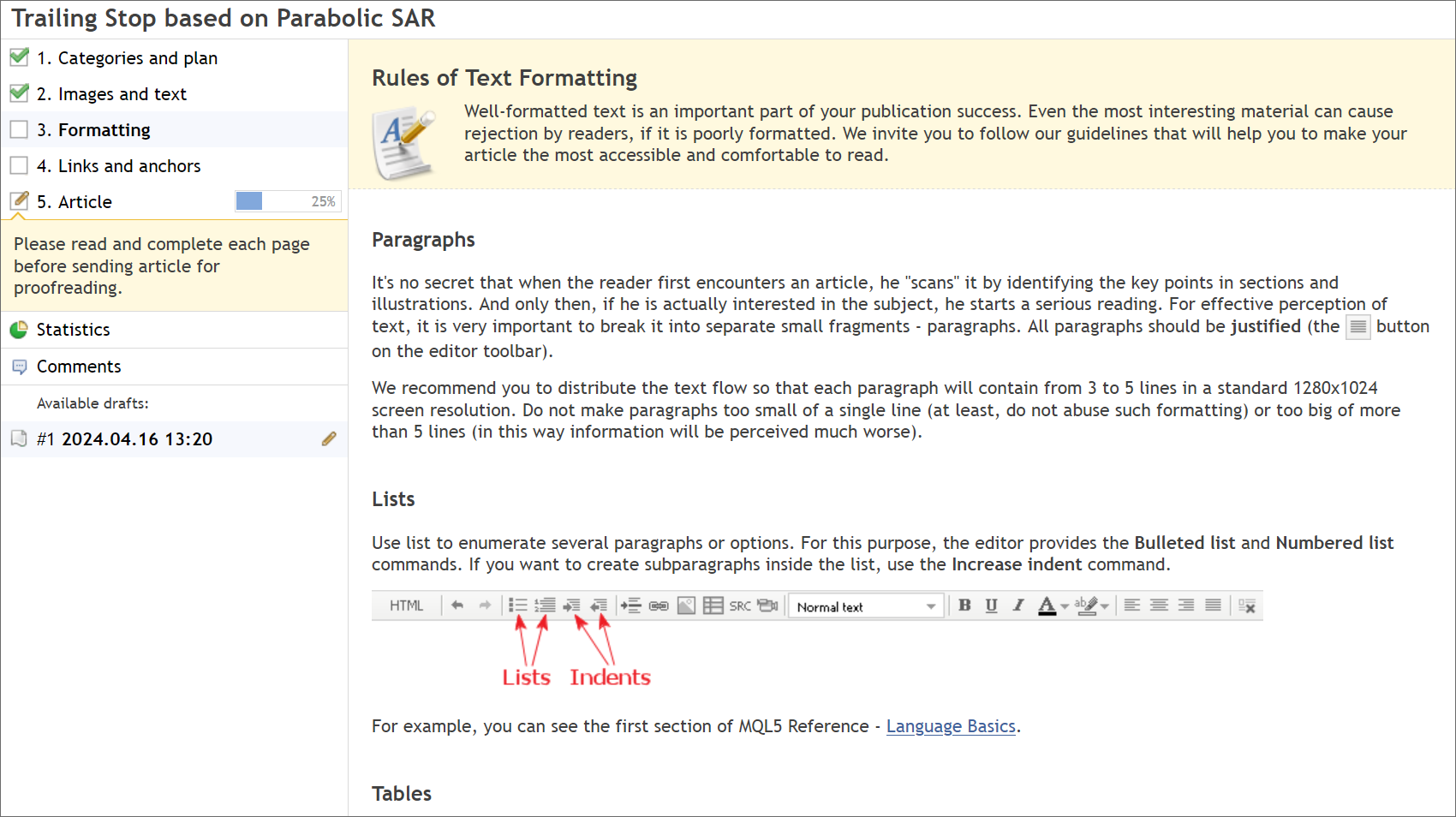
Once you have familiarized yourself with the formatting guidelines, check the box again and click "Save".
4. Links and Anchors
Use links in your article to allow readers to access additional information or navigate smoothly between subsections. While adding a link might seem easy, there are nuances you might not be aware of. Learn how to create meaningful tooltips for your links and how to effectively use anchor links — this is covered in the fourth and final step before you begin drafting the article itself.
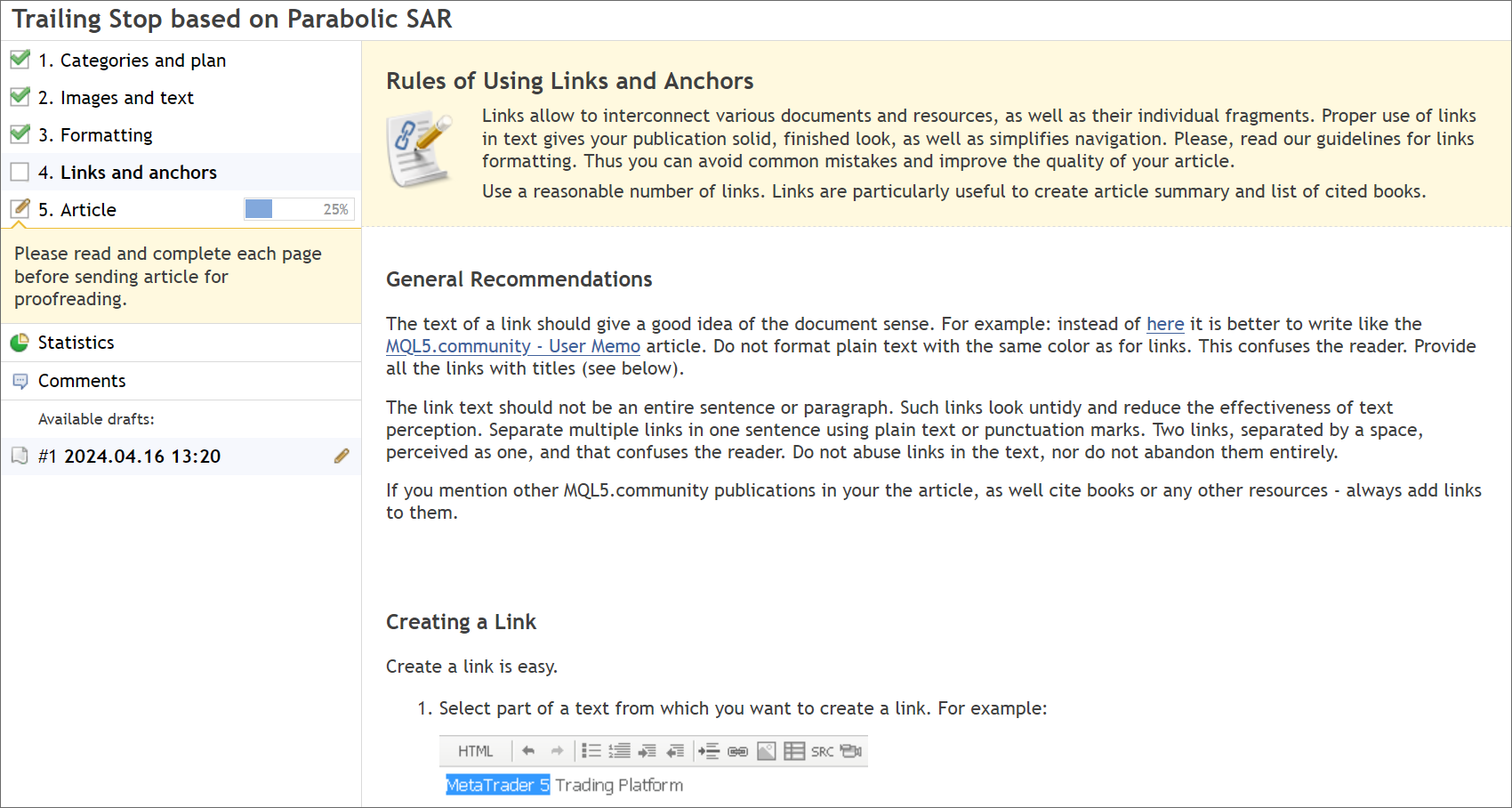
After reading the guidelines, mark the checkbox one last time and click "Save". You are now ready to start writing without spending extra time learning the built-in editor.
5. Article
You have finally reached the core — writing the article. Now, knowing how to properly present your work, you can fully focus on its contents.
If you can, upload an icon and cover image for the article. These visuals will be featured in the list of articles and should capture attention. An icon should be a PNG image sized at 60x60 pixels, and the cover should be 1200x628 pixels. If you do not have suitable images, we will create them. Feel free to share your ideas in the comments section.
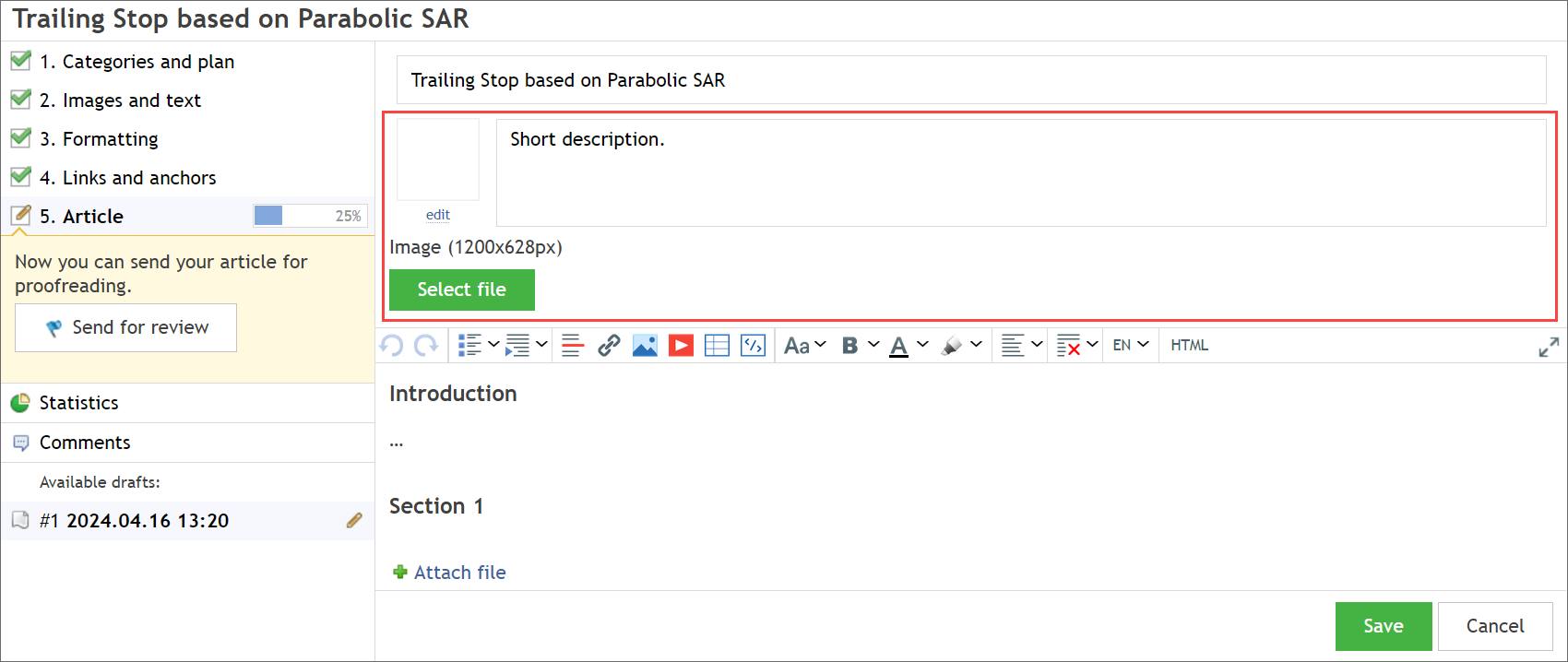
Add a description for your article. It is a mandatory requirement. You can always revise the text later, but you should approach this step thoughtfully. A well-created description can encourage potential readers to open your article. The completion percentage will be updated as you progress through the steps. The article will reach 100% upon publication. But before that, send it for review.
Under Review
With your text written and enriched with engaging illustrations, your article looks polished and ready. Send it to the moderator for review by clicking "Send for Review". The moderator will be notified, so rest assured that your article won't go unnoticed.
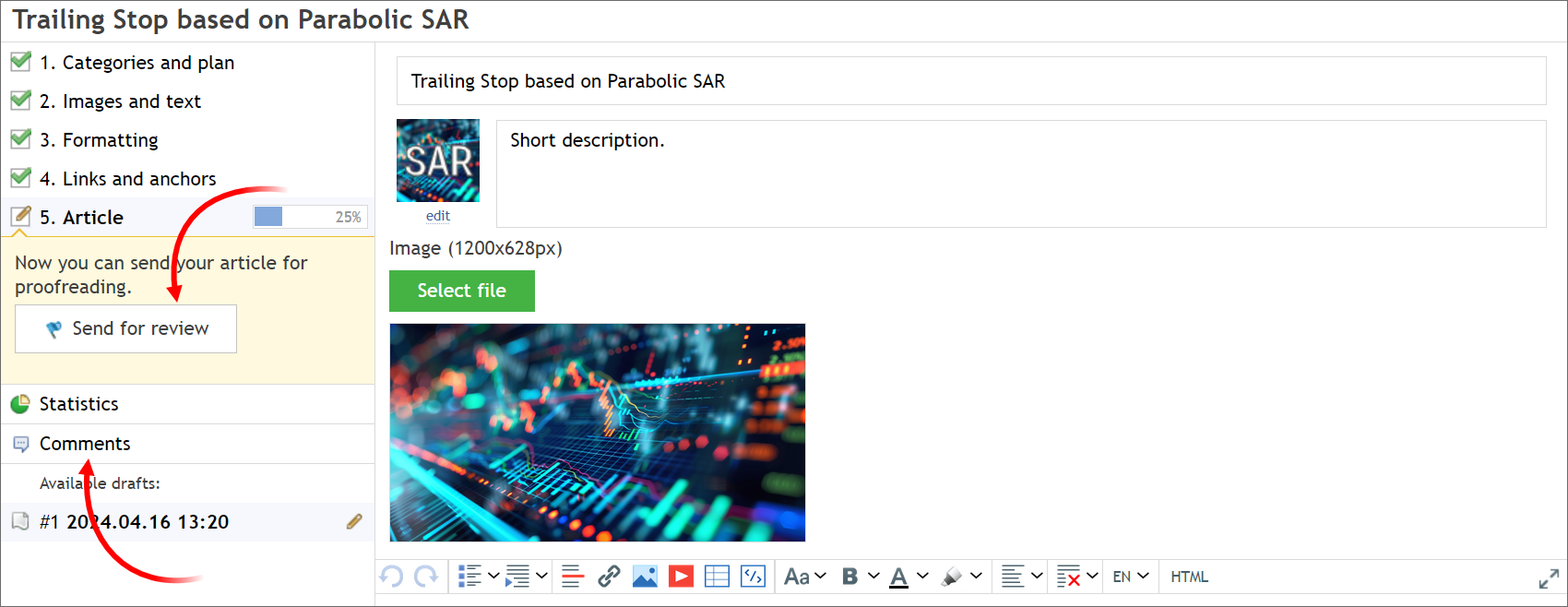
Await feedback from the moderator in the "Comments" section. Here, you can discuss any questions about your article, such as its relevance to the community, graphical elements, error corrections, and payments.
Publication
Once any issues are resolved, your article will be published. A relevant push notification will be sent to your mobile provided that your MetaQuotes ID is specified in your profile. For details on profile settings, please read "MQL5.community - User Guide".
The publication of your article will be announced on the Forum, in the dedicated section Articles, Library. Additionally, your article will be translated into all eleven languages supported by MQL5.com, making it accessible to traders worldwide. We prioritize translations for the most interesting articles.
Payment
We highly value the efforts of our article authors. All articles published on MQL5.community are paid, with an average fee of $200. Learn how to withdraw or use your earnings from the "MQL5.community Payment System" article.
We hope this article answers many of your questions. We look forward to receiving your engaging content, which we are sure will be well-received. Start writing today!
Translated from Russian by MetaQuotes Ltd.
Original article: https://www.mql5.com/ru/articles/408
 Visualize a Strategy in the MetaTrader 5 Tester
 Kernel Density Estimation of the Unknown Probability Density Function
 The Golden Rule of Traders
 OpenCL: The Bridge to Parallel Worlds

- Free trading apps
- Over 8,000 signals for copying
- Economic news for exploring financial markets
You agree to website policy and terms of use
Are the author of an article still paid nowadays ?
If yes, is it depending of the quality of the article ?
Yes, articles are paid Alain and as far as I know the amount depends on the subject and quality of the article.
Is this platform still paying to write an article?
Yes, the above answer is still valid.